Ventory Mobile

Empower your field teams with real-time mobile inventory management.
Mobile order management app screen showing confirmation message for order number 0004 and a list of orders with statuses marked as Created.Mobile app screen showing 'Create an order' interface for Ventory Brussels HQ with 5 products listed, availability and needed quantities, and options to cancel or send order.Mobile app screen displaying scanned QR codes on product labels and a prompt to create a new lot with lot number A-3381 and expiration date April 2, 2032.Mobile phone screen displaying a map with icons for stock locations and warehouses, showing nearby stock locations in Brussels with distances.
Oval-shaped grid composed of evenly spaced green intersecting lines on a black background.

Ensure real-time updates, fast task execution & accurate stock counts.

30' Discovery Call
Reliability

Technology-Driven Transformation 

Ventory Mobile is built for tech-driven efficiency and compatibility with field operations.

Compatible with your existing devices

Ventory Mobile is an app designed for Android and iOS devices, ensuring maximum compatibility with common mobile phones and warehouse handheld devices. Teams can get started with Ventory without having to invest in new devices.
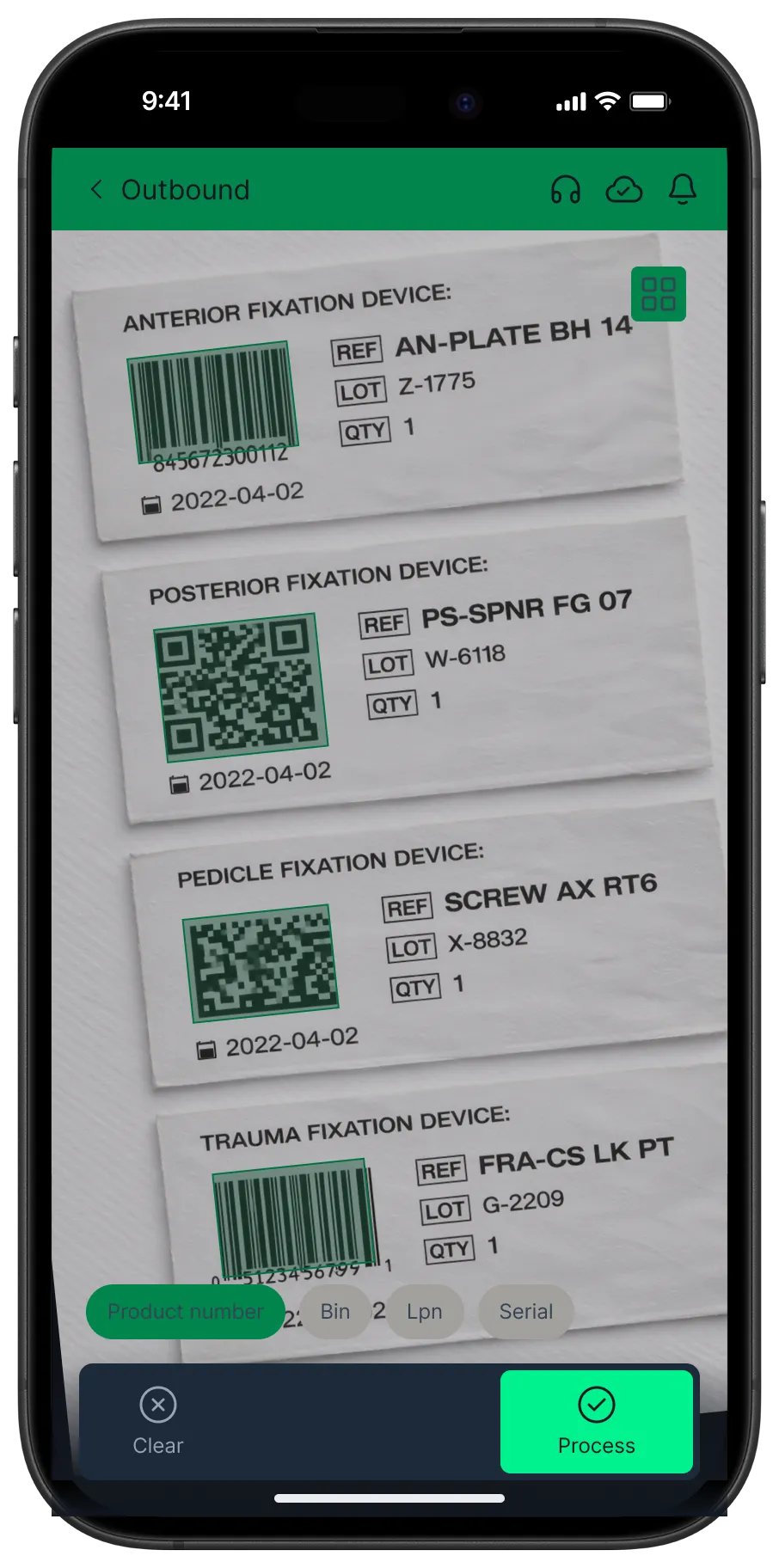
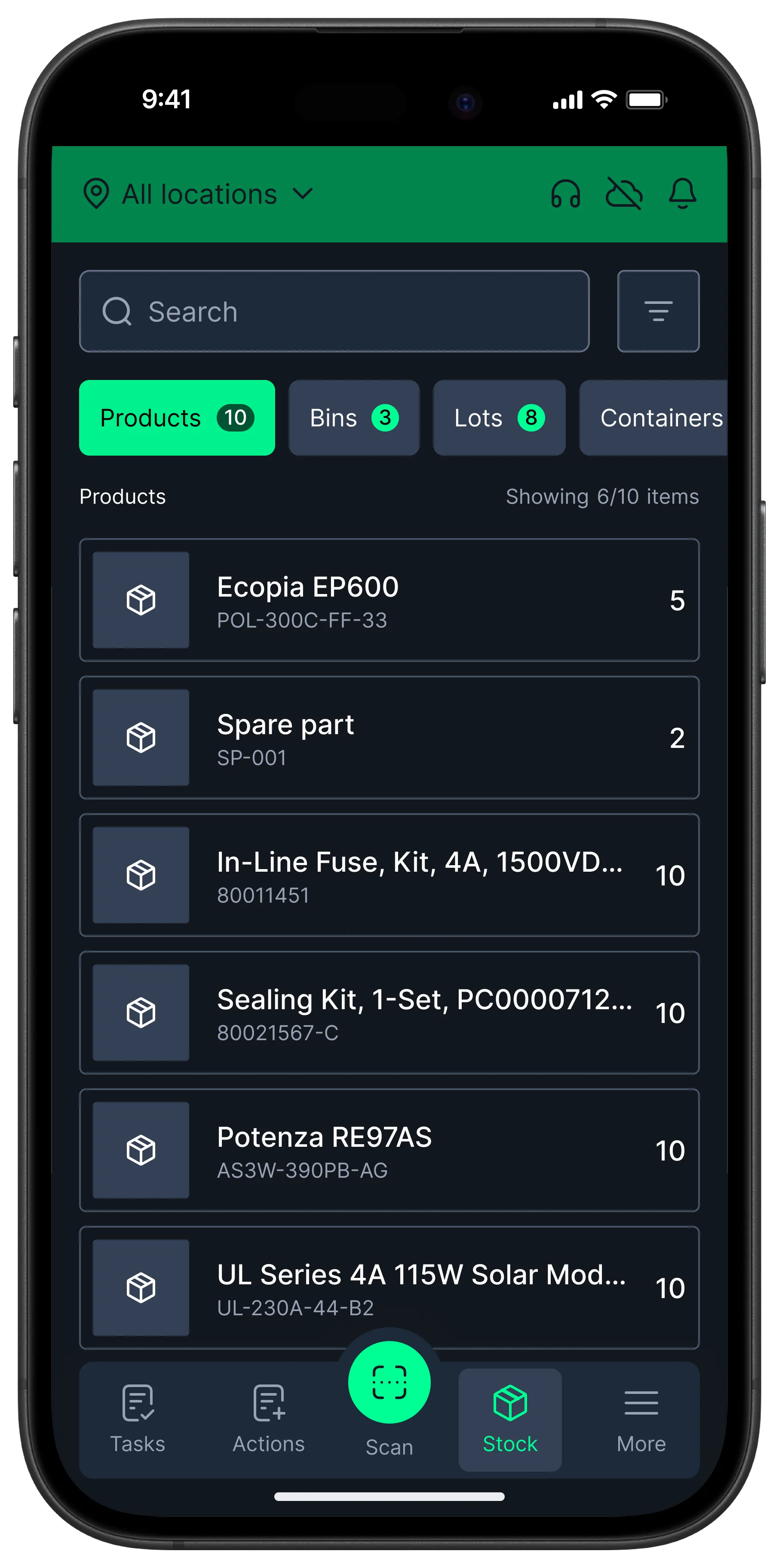
Smartphone screen showing scanned labels for anterior, posterior, pedicle, and trauma fixation devices with barcodes, QR codes, lot numbers, and dates.Mobile inventory app interface showing product list with quantities, tabs for Products, Bins, Lots, and Containers, and navigation icons for Tasks, Actions, Scan, Stock, and More.

Scan multiple barcodes in a single shot

Ventory Mobile’s camera-based scanning processes multiple barcodes at once. This significantly speeds up inventory processing tasks, reduces manual data entry and minimizes human error, improving overall stock accuracy.
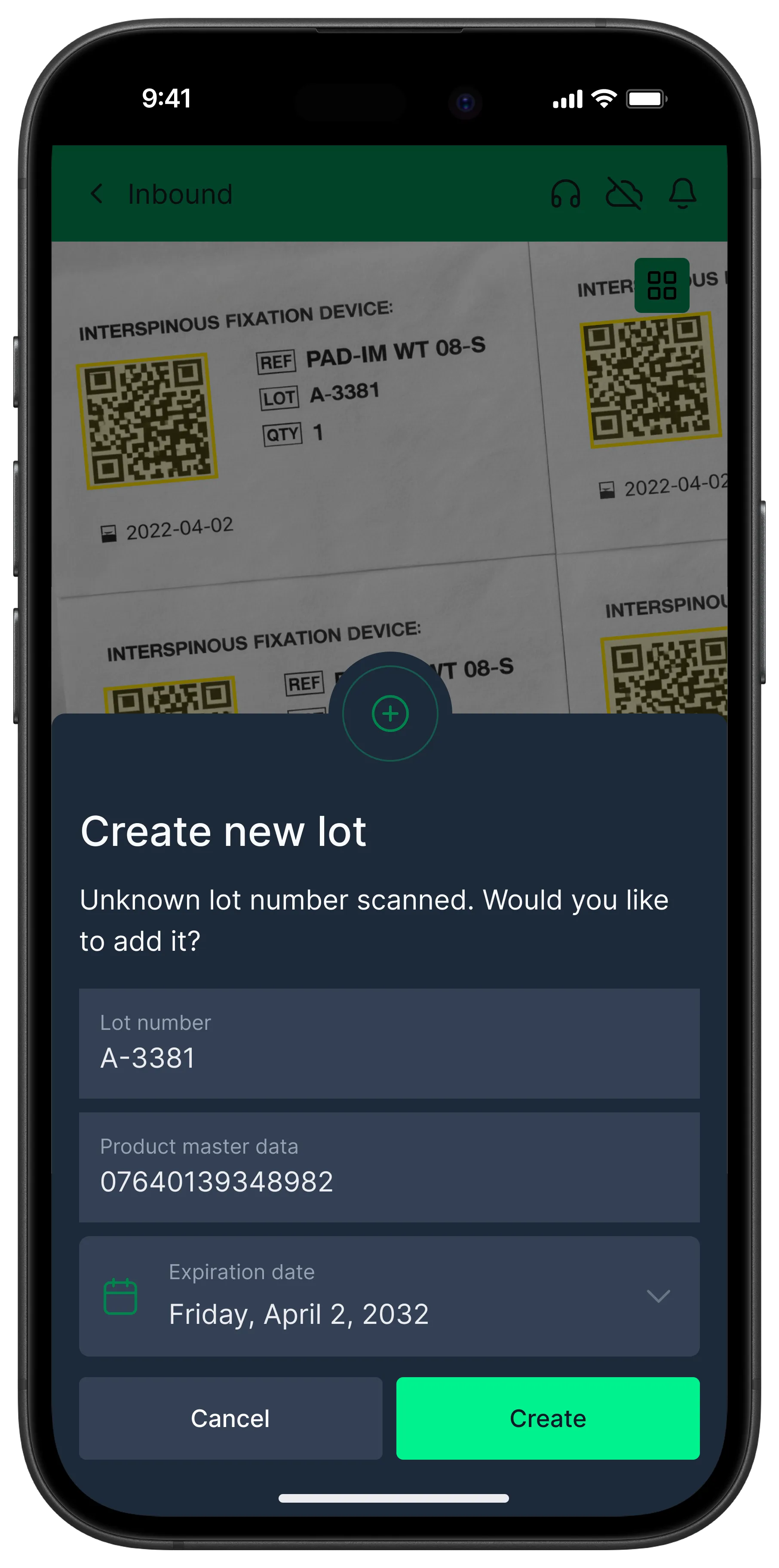
Smartphone screen showing scanned labels for anterior, posterior, pedicle, and trauma fixation devices with barcodes, QR codes, lot numbers, and dates.Smartphone screen showing a modal to create a new lot with scanned lot number A-3381, product master data 07640139348982, and expiration date April 2, 2032, with Cancel and Create buttons.

Works anywhere, with or without internet

While Ventory is cloud-based and real-time, it is powerful even without an internet connection. Ventory stays fully functional while offline, allowing users to work without disruption anywhere, even in remote areas. Once connectivity is restored, all updates synchronize automatically without data loss.
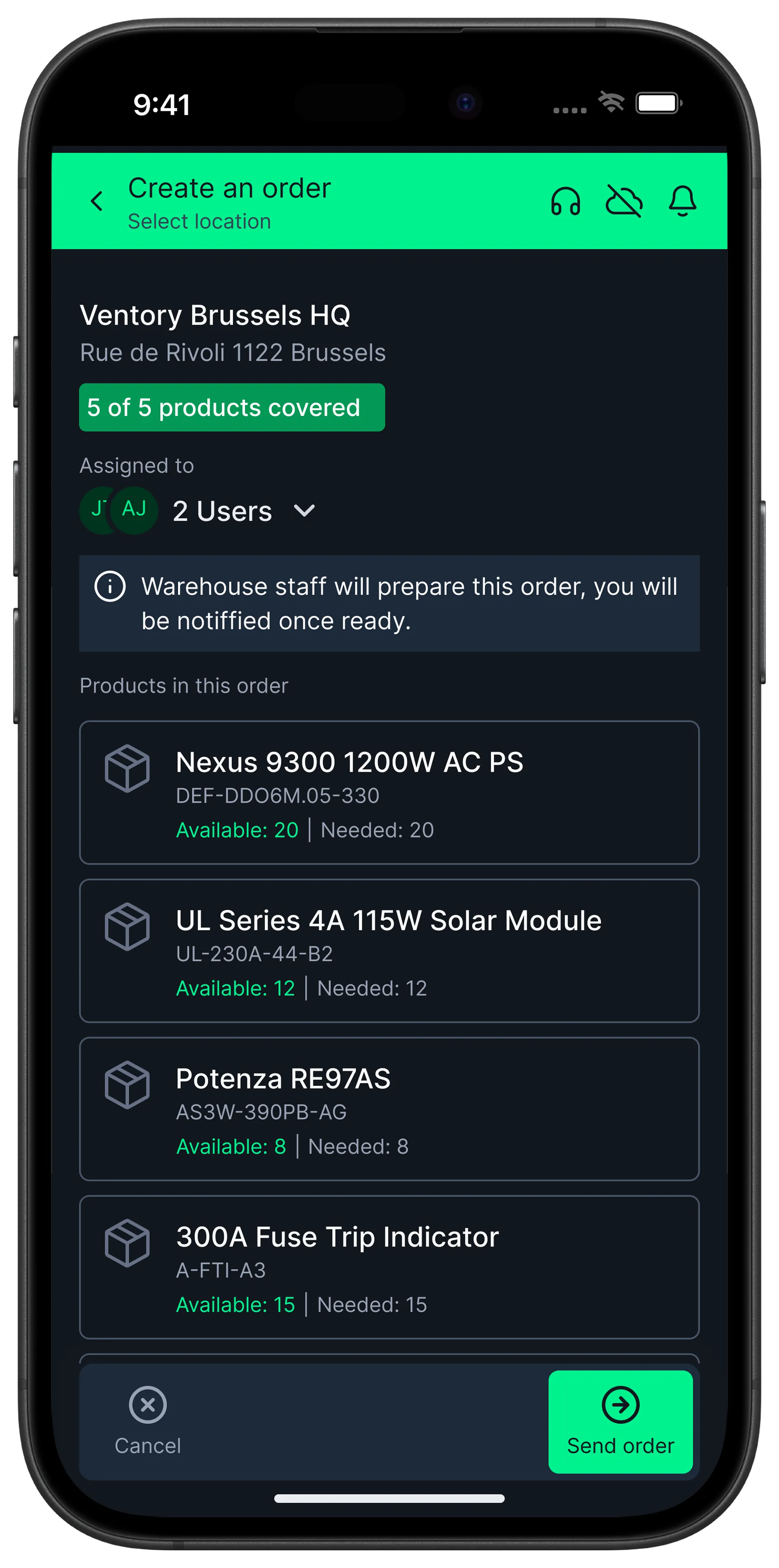
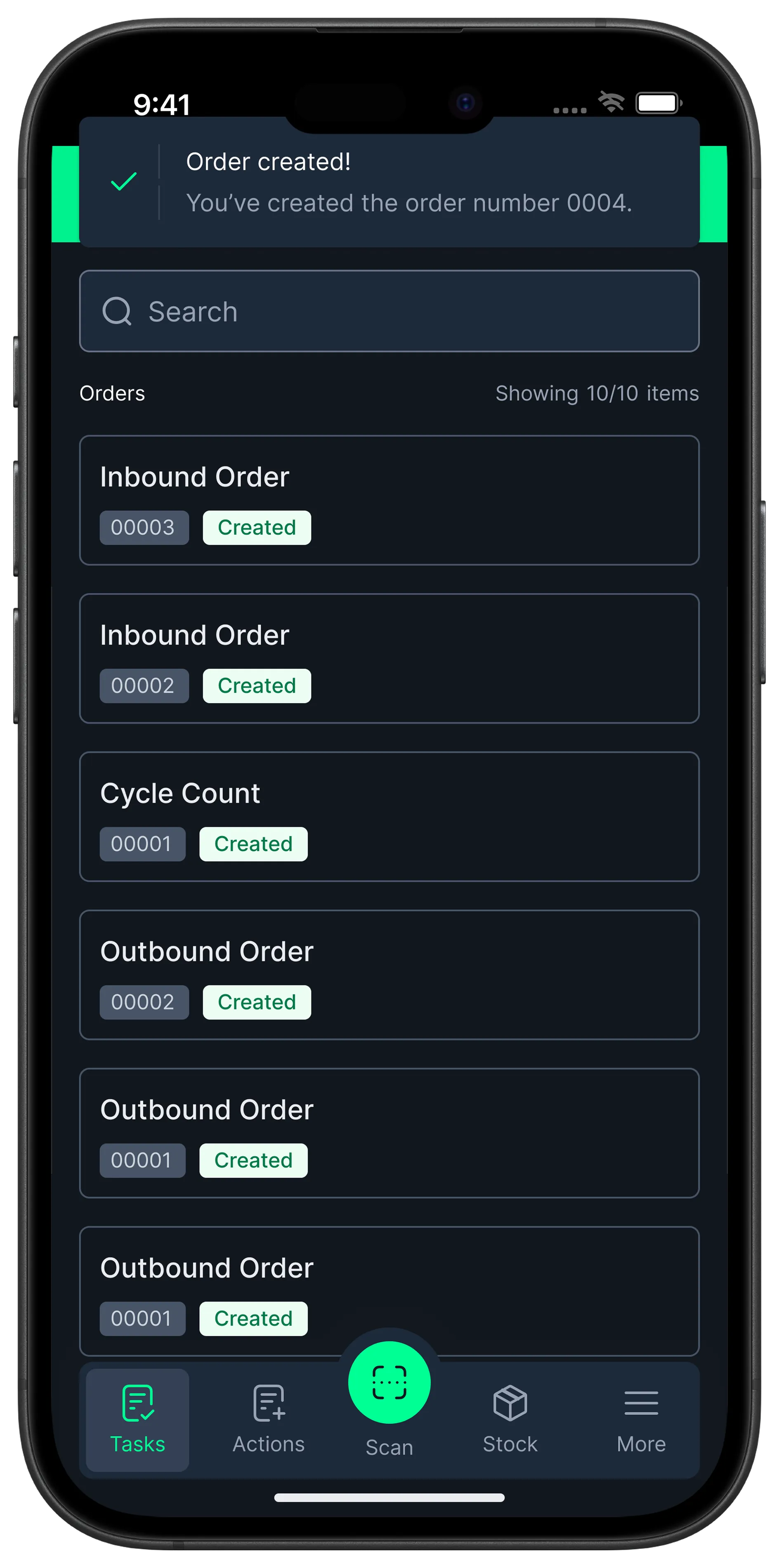
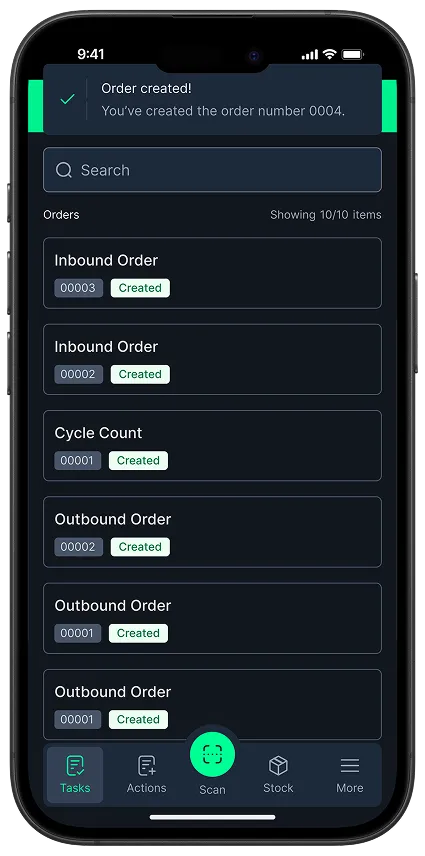
Mobile app screen for creating a product order at Ventory Brussels HQ listing five products fully covered with quantities available and needed, assigned to two users, with options to cancel or send order.Mobile app screen showing a confirmation message 'Order created! You’ve created the order number 0004' with a list of tasks including inbound orders, cycle count, and outbound orders, all marked as 'Created'.
Productivity

Set up Team for Efficiency & Success

Enable frictionless deployment and productivity gains with inventory data and control at operators’ fingertips, along with an intuitive user experience.

Collaborate better with real-time data in the field 

Get instant access to real-time stock and order data, empowering your team to make faster decisions, communicate more effectively, and keep field operations running without delays or bottlenecks.
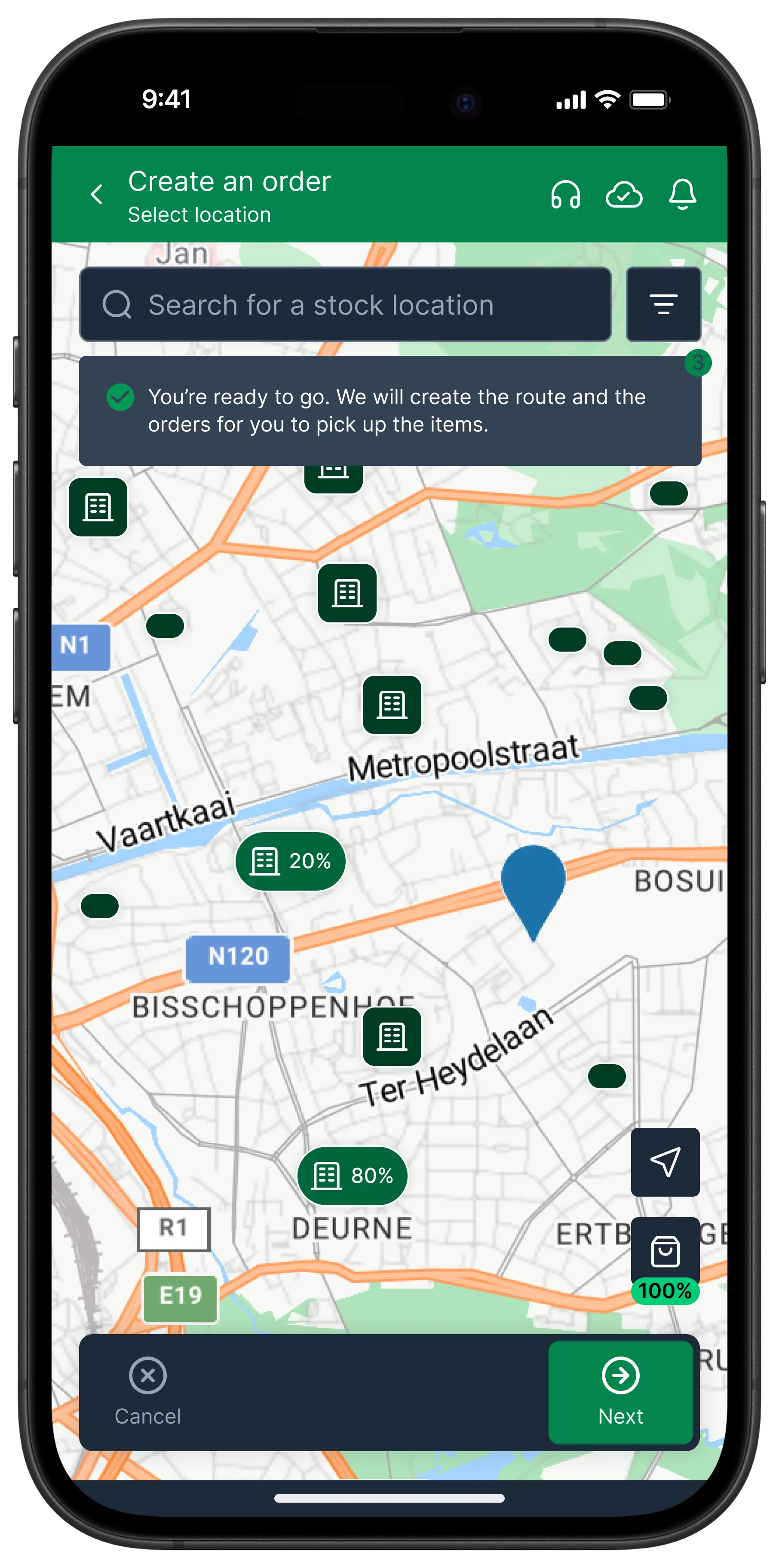
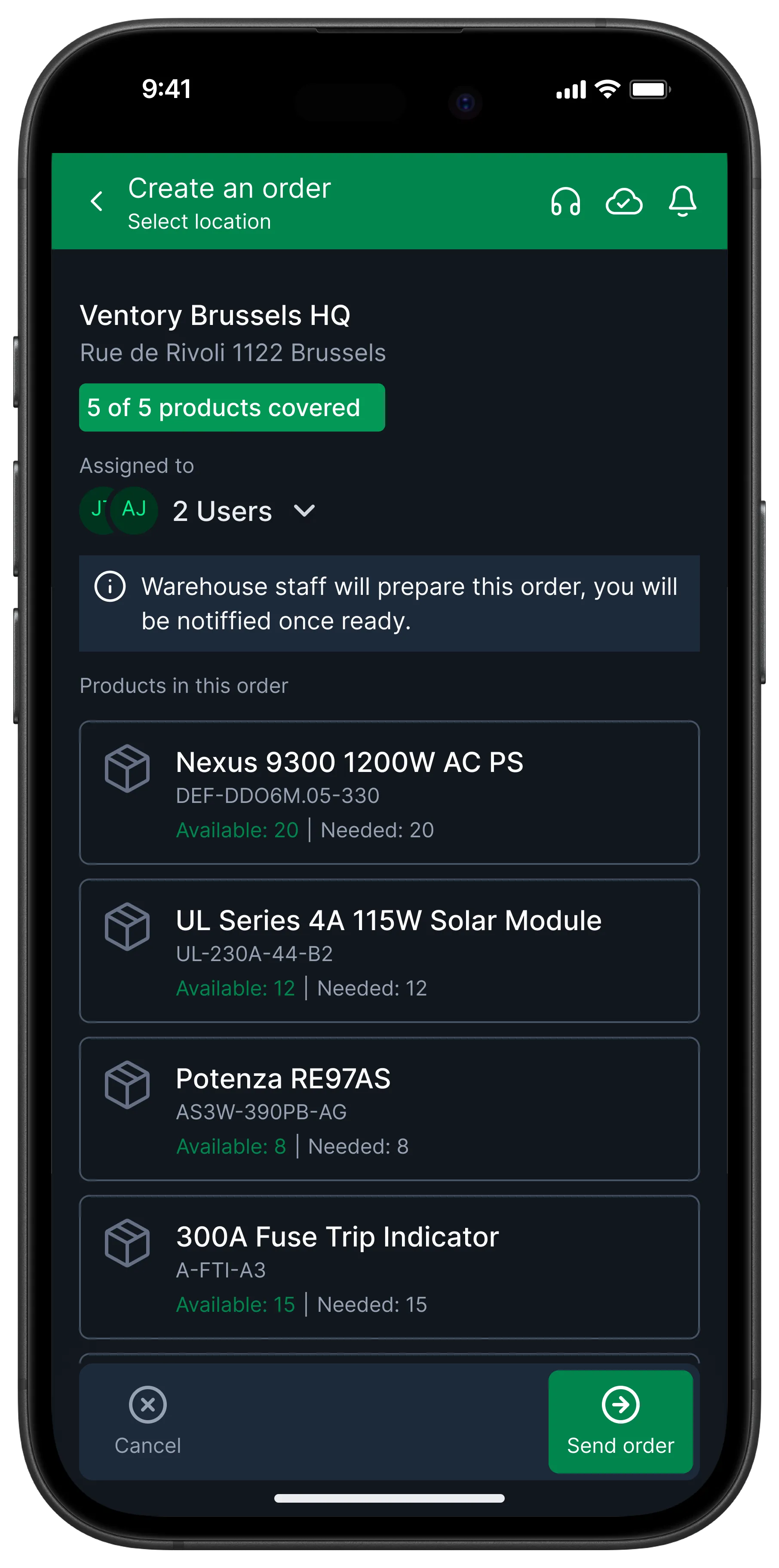
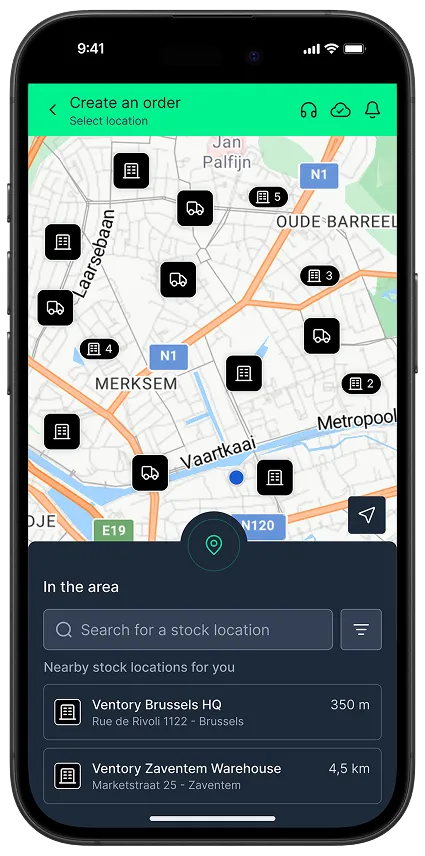
Mobile app screen showing a map with stock location icons, a search bar to select location, a message confirming route creation, and buttons to cancel or proceed with order creation.Mobile app screen for creating an order at Ventory Brussels HQ listing five products fully covered and assigned to two users, with details and a send order button.

Manage all inventory tasks anywhere, anytime 

Handle inventory inbound, outbound, movement and counting tasks seamlessly from the operator’s mobile device. Receive real-time alerts and easily complete task assignments from managers, increasing responsiveness and productivity in the field.
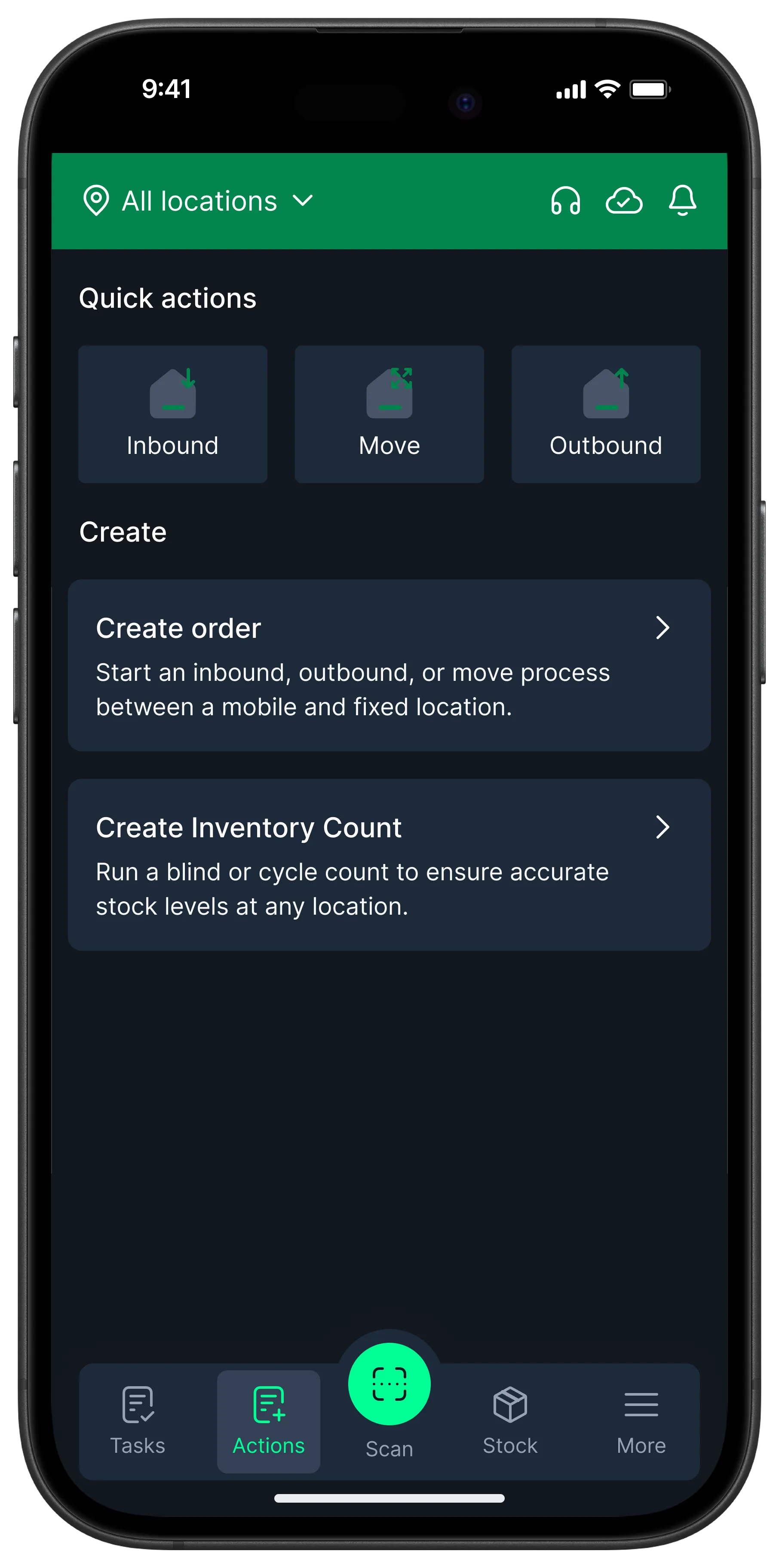
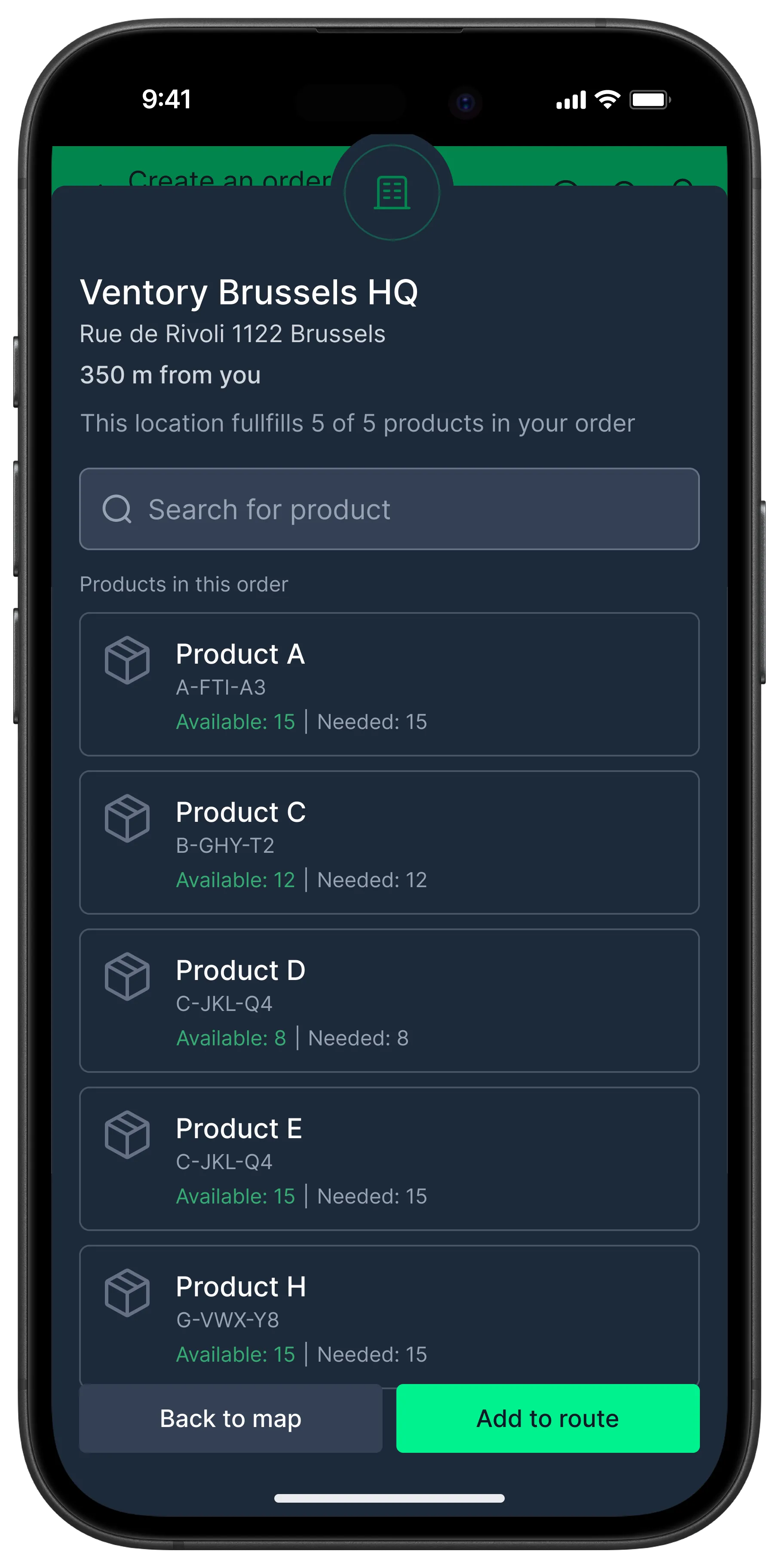
Mobile app interface showing inventory actions with buttons for Inbound, Move, and Outbound, options to create order or inventory count, and a navigation bar with Tasks, Actions, Scan, Stock, and More.Mobile app screen showing Ventory Brussels HQ location details and product availability for an order with options to search and add to route.

Manage mobile locations and assets

Unlock advanced operations capabilities through mobile location tracking (e.g. technician vans, ambulances) and asset handover/takeover management.
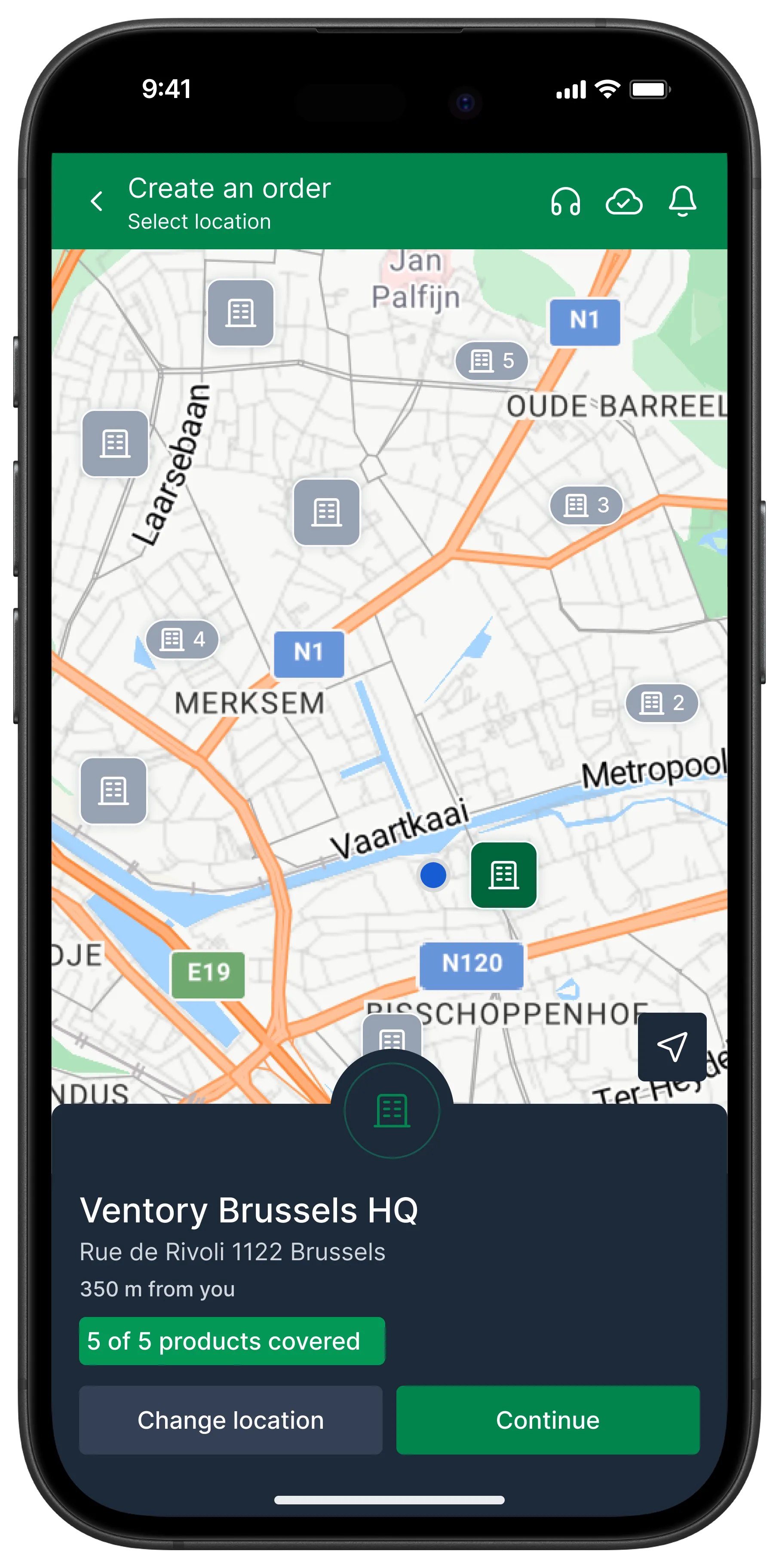
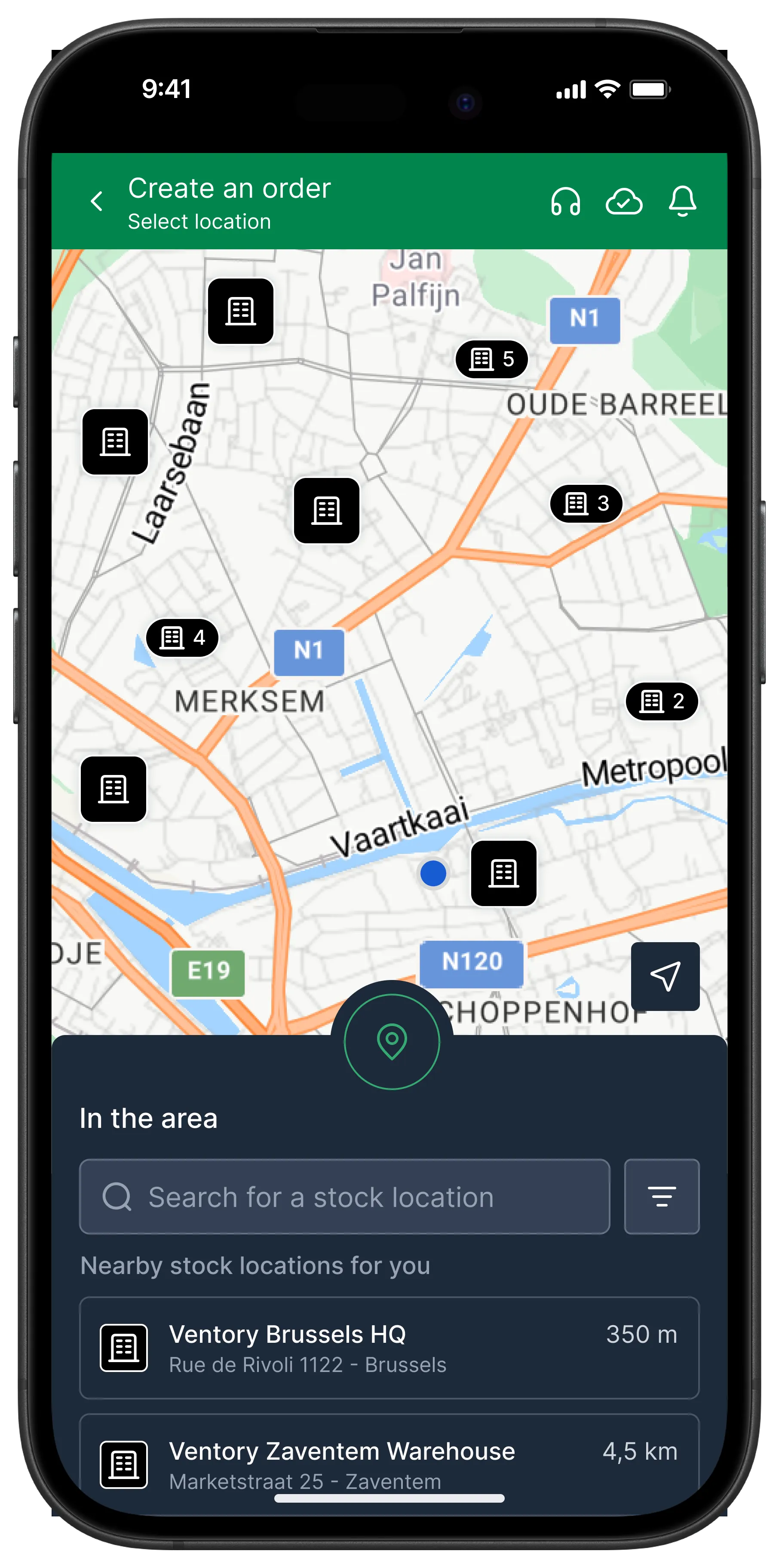
Mobile app screen showing a map with location pins and a popup for Ventory Brussels HQ at Rue de Rivoli 1122, 350 meters away, with options to change location or continue.Mobile app screen titled 'Create an order' showing a map with multiple stock location icons and a search bar listing nearby Ventory stock locations in Brussels.

Intuitive user interface

Our clean, user-friendly UI makes it easy to navigate all tasks and app interactions efficiently. Deployment to new users is quick with minimal training required.
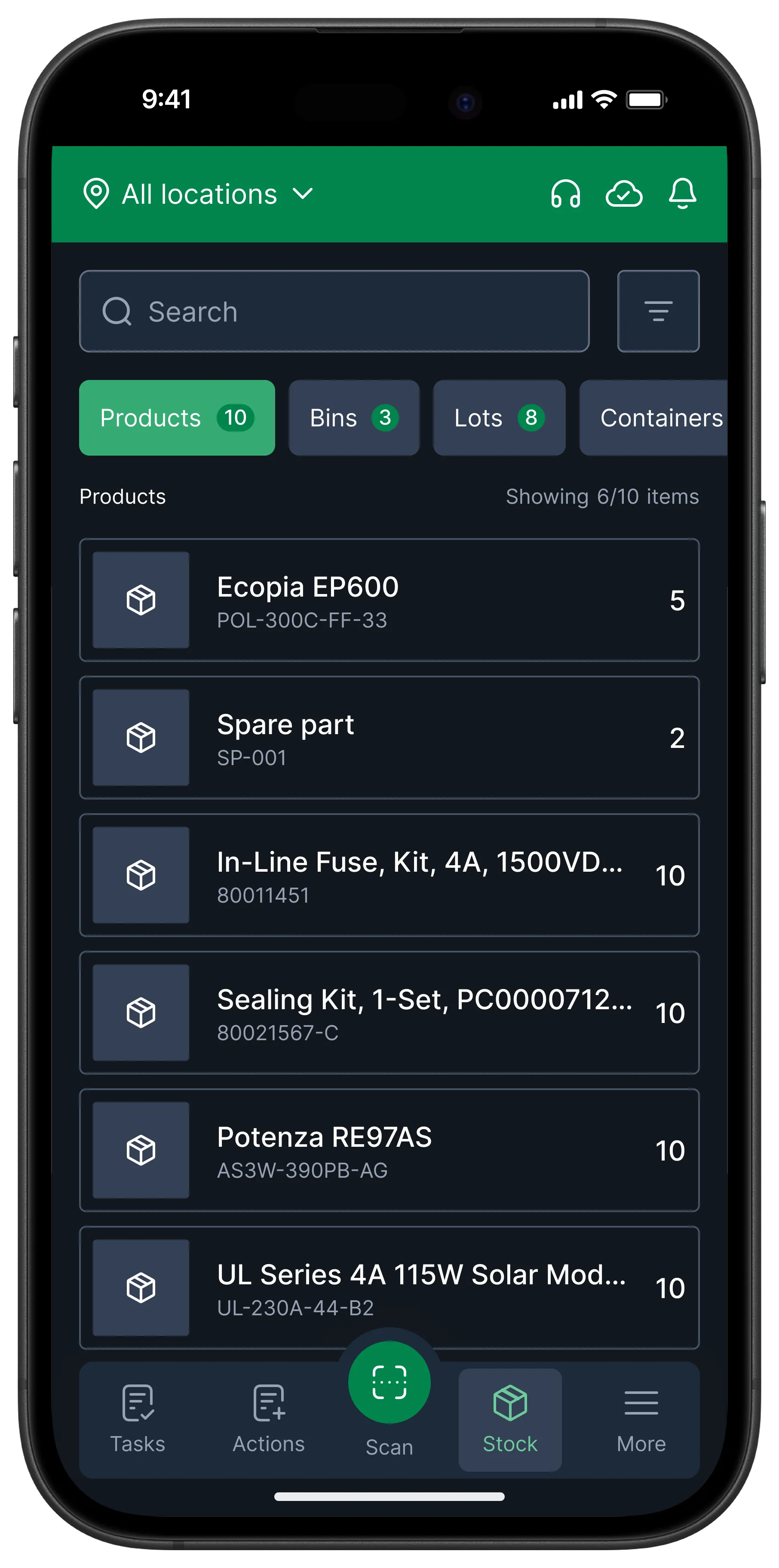
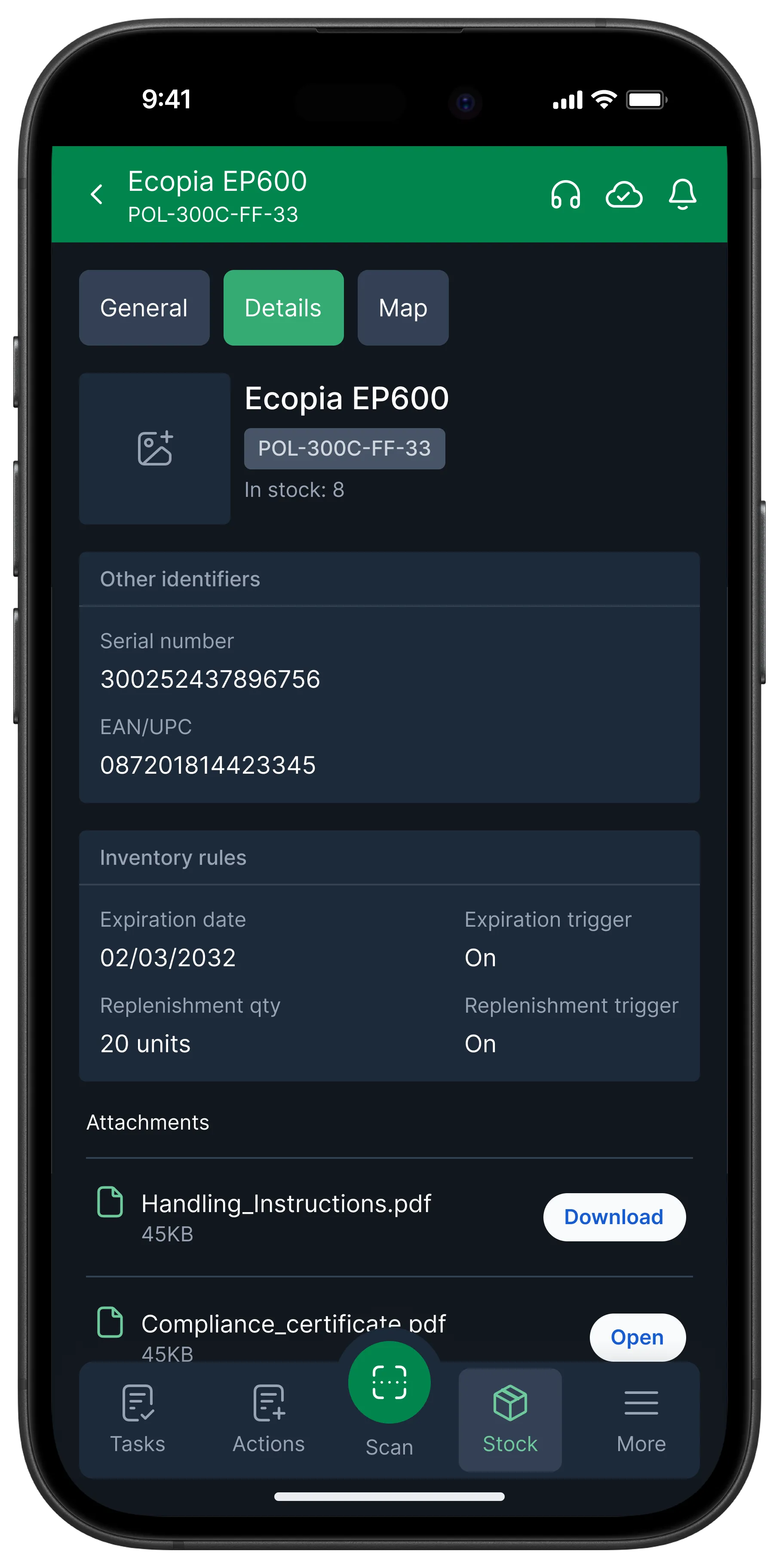
Mobile inventory app screen showing stock of products with quantities including Ecopia EP600, Spare part, In-Line Fuse Kit, Sealing Kit, Potenza RE97AS, and UL Series 4A 115W Solar Model.Mobile screen showing inventory details for Ecopia EP600 with serial number, expiration date, replenishment quantity, and PDF attachments for handling instructions and compliance certificate.
Adaptability

Support & Customization

Ventory is designed for seamless integration with complex multi-site and international operations.

IT Service Management & Knowledge Base

Minimise operations disruptions through our top-notch platform support that is easily accessible via the app. Train teams and understand new features easily using our self-help Knowledge Base articles.
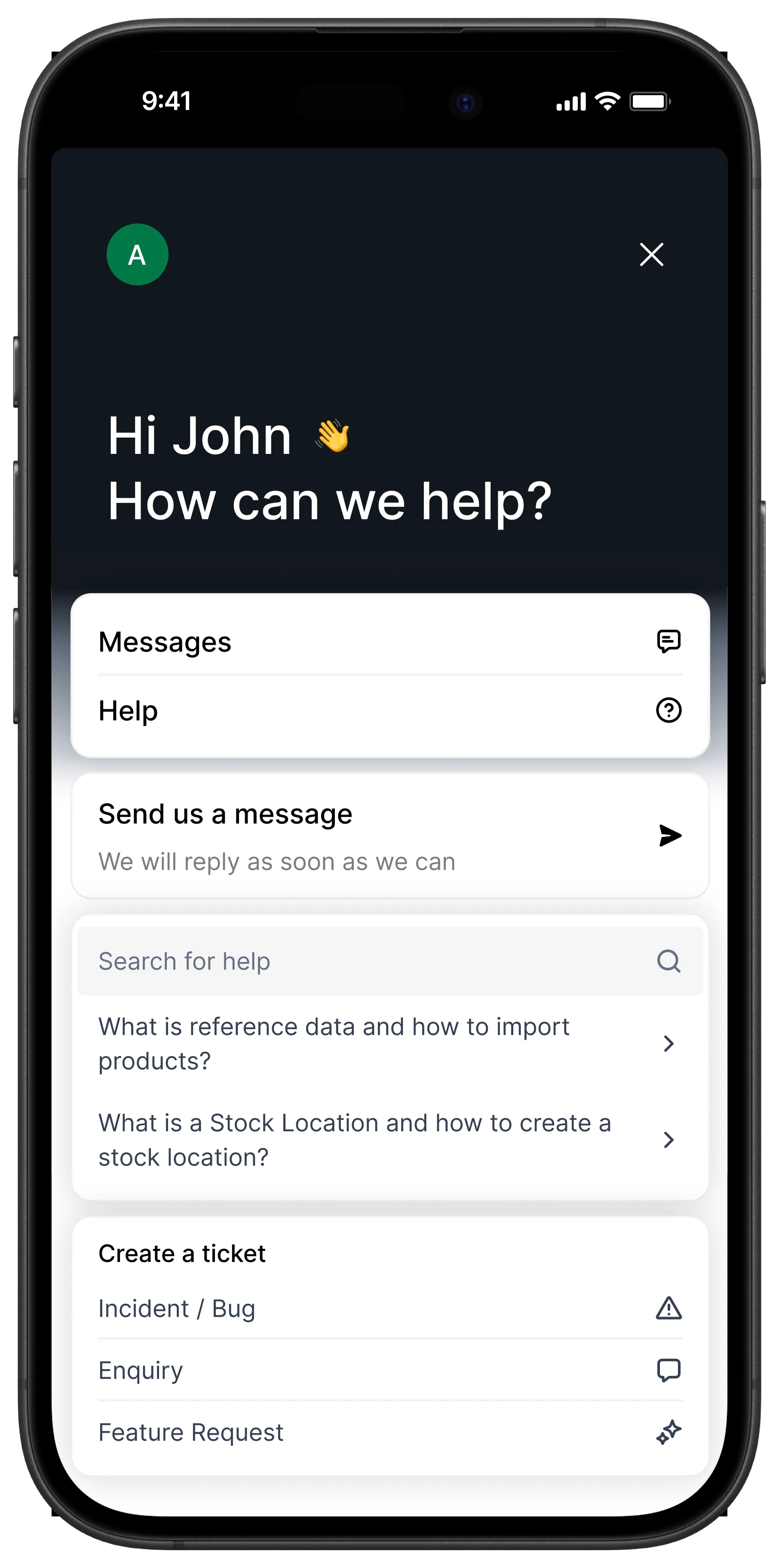
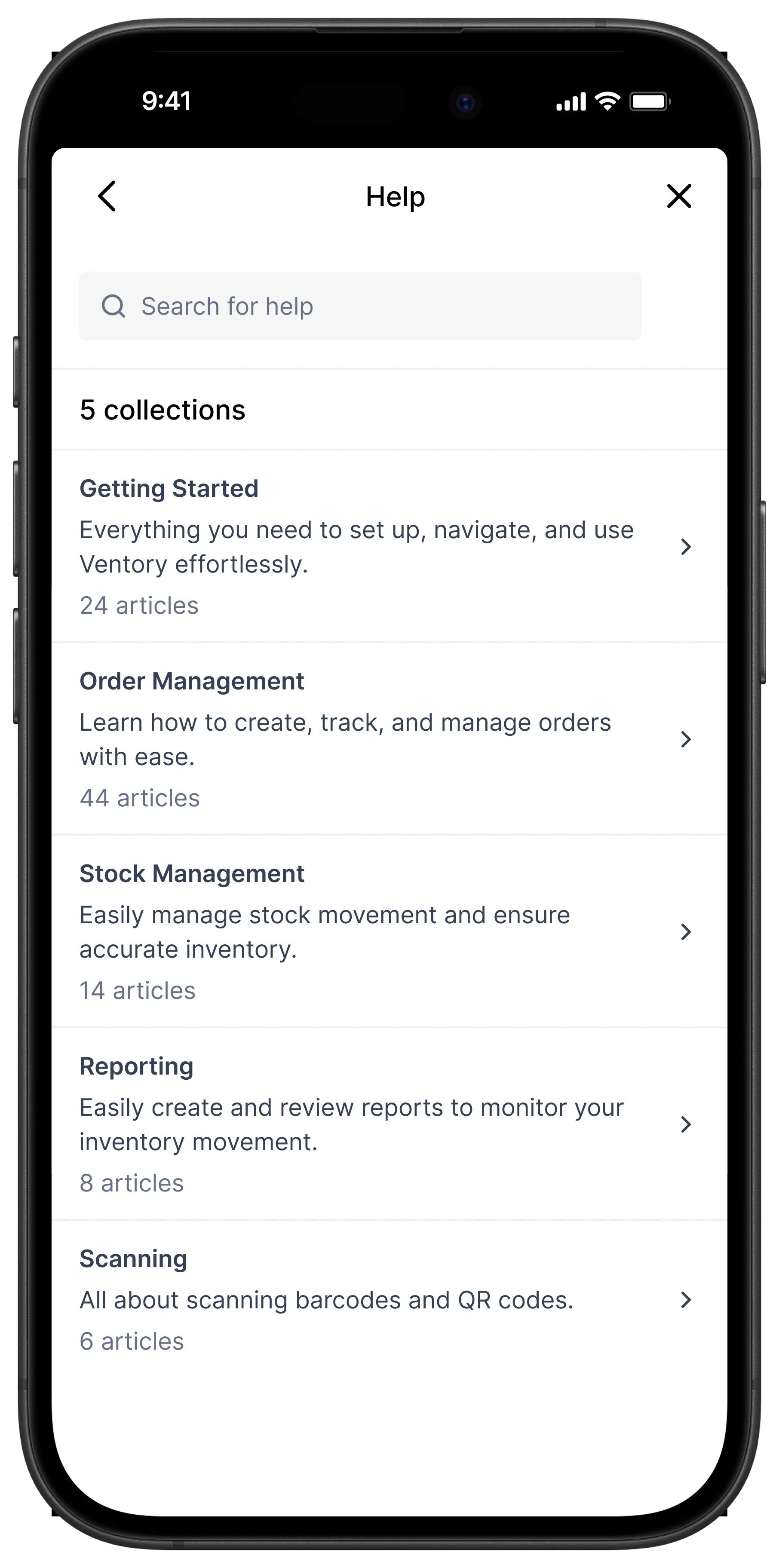
Mobile support screen greeting John, offering message and help options, search for help topics, and ticket creation for incidents, enquiries, or feature requests.Mobile screen showing Help section with five collections: Getting Started, Order Management, Stock Management, Reporting, and Scanning, each with article counts.

Access Management

Handle inventory inbound, outbound, movement and counting tasks seamlessly from the operator’s mobile device. Receive real-time alerts and easily complete task assignments from managers, increasing responsiveness and productivity in the field.
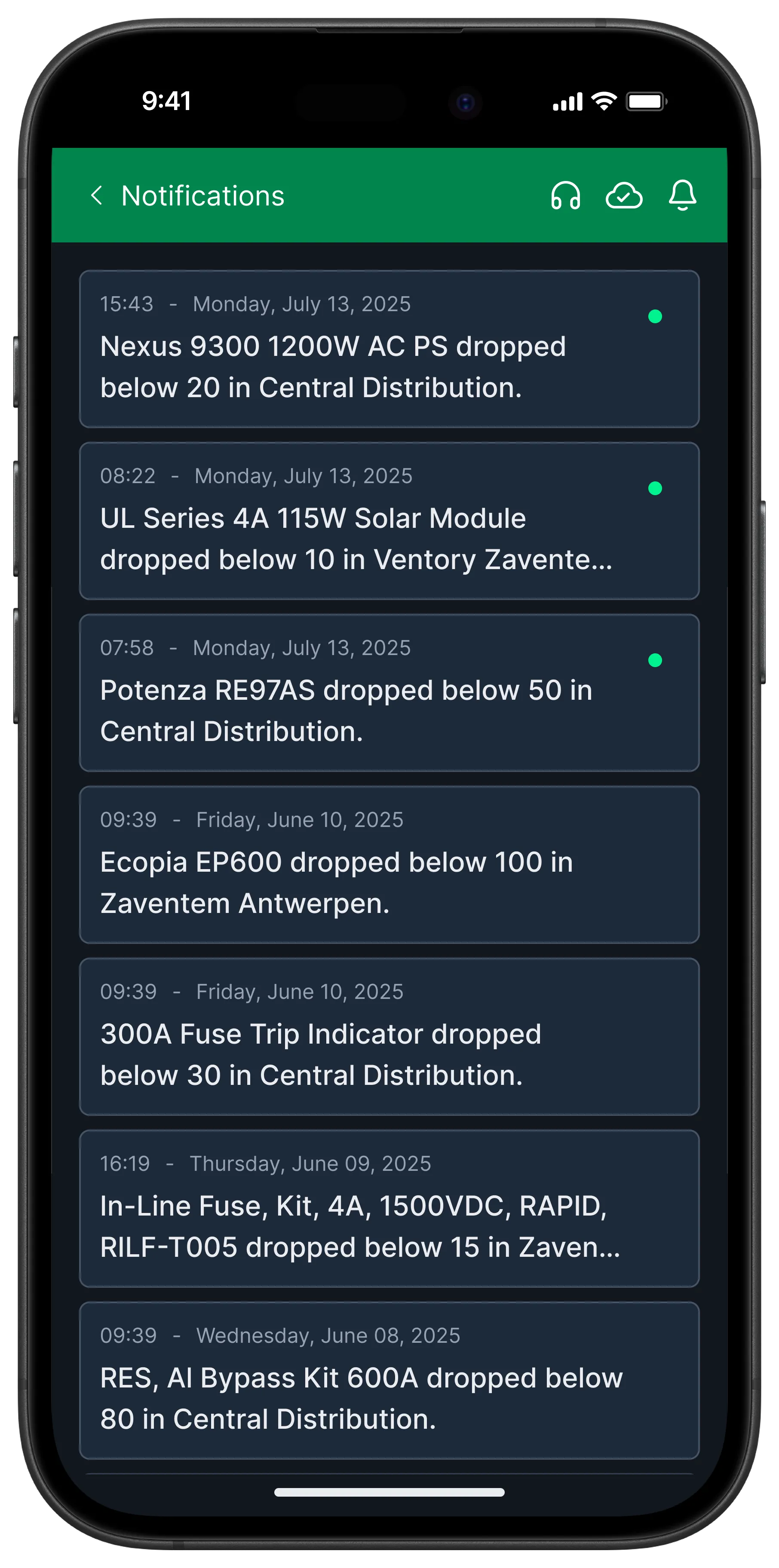
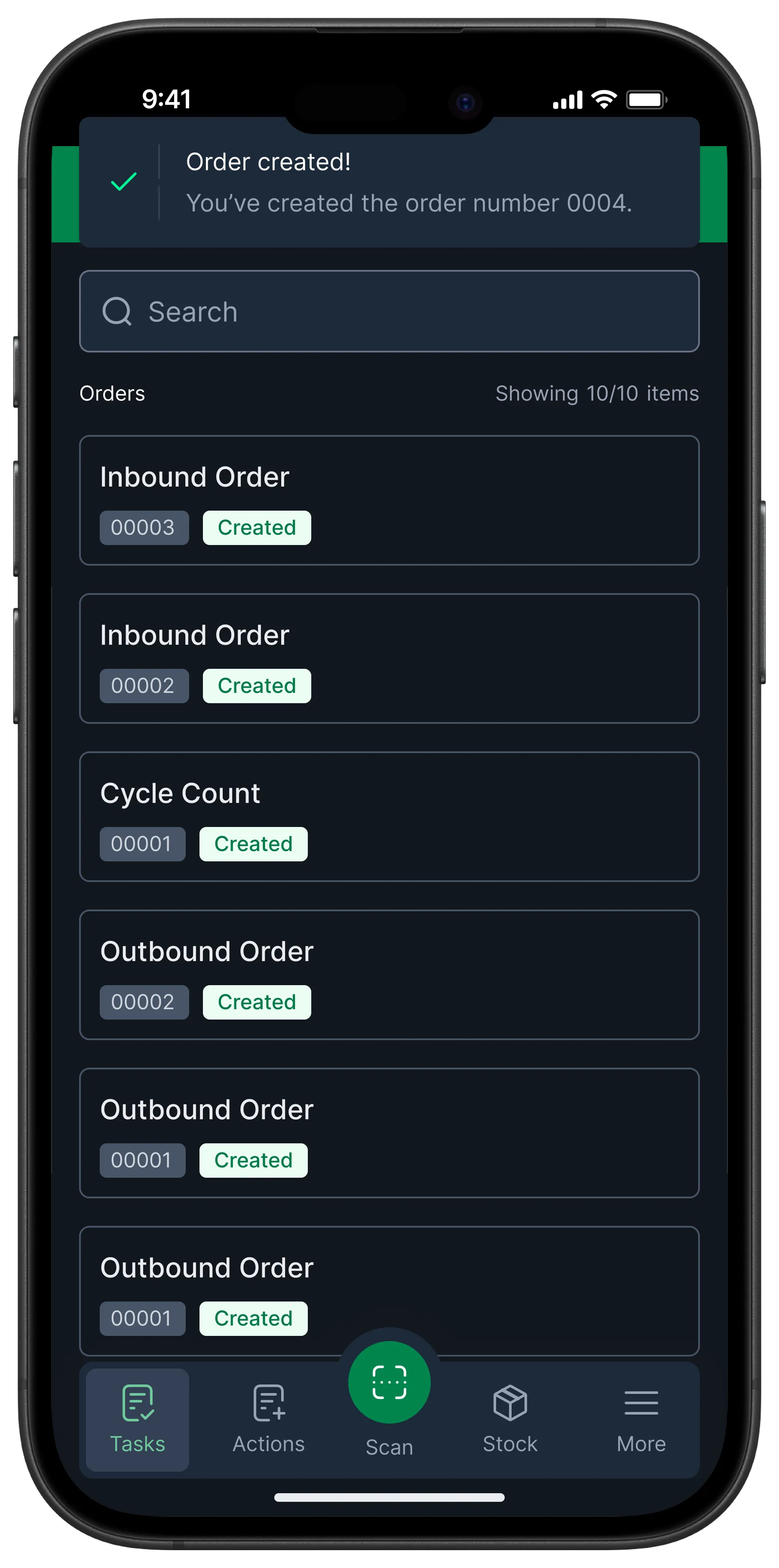
Smartphone screen showing notifications of various electrical components dropping below specified quantities or thresholds in different locations and dates.Smartphone screen showing a task management app with orders listed including inbound orders, cycle count, and outbound orders all marked as created, and a confirmation banner at the top stating order number 0004 created.

Multilingual interface

Empower operations in different countries to work seamlessly by selecting their preferred language on the Ventory Mobile app.
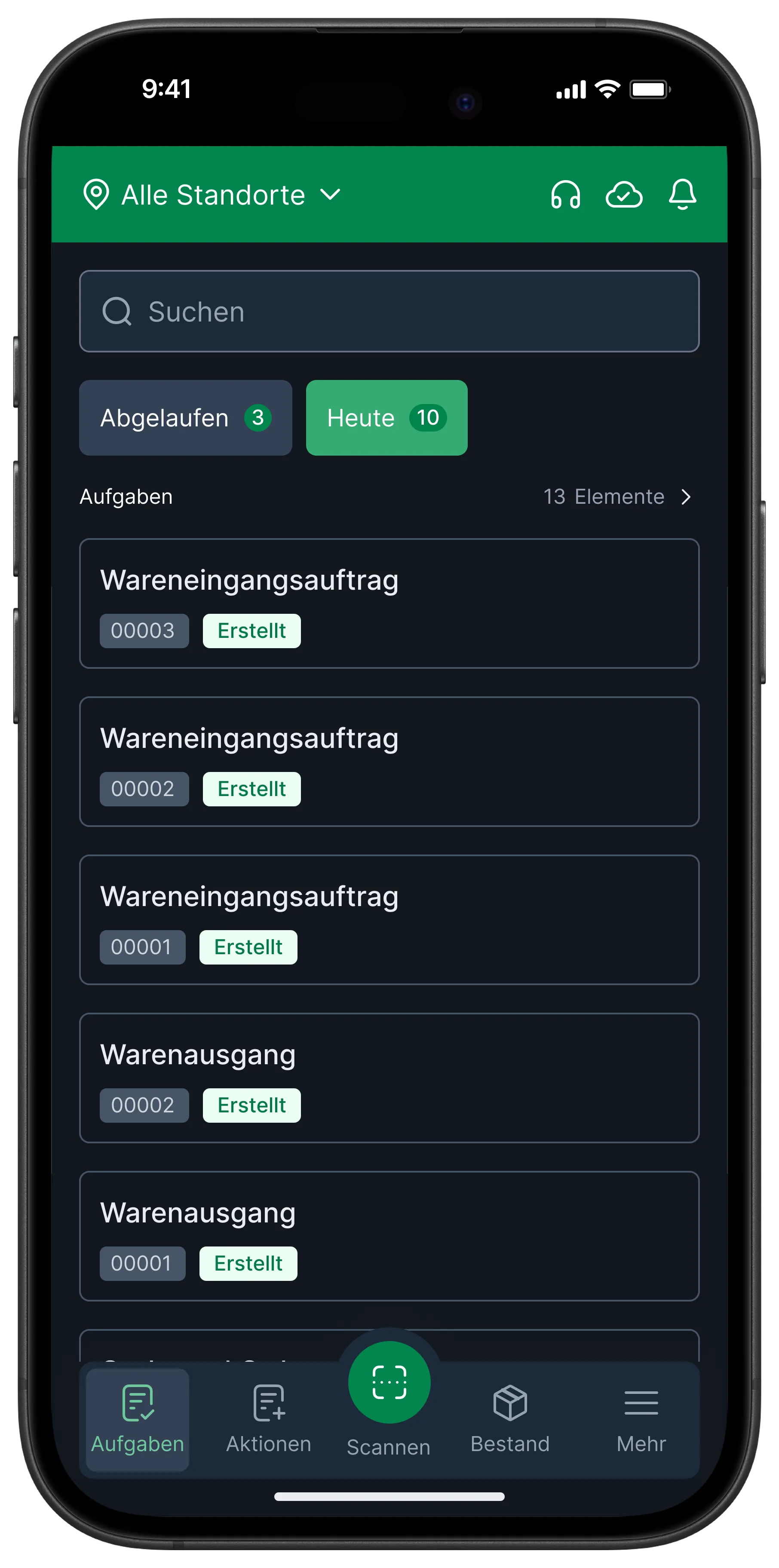
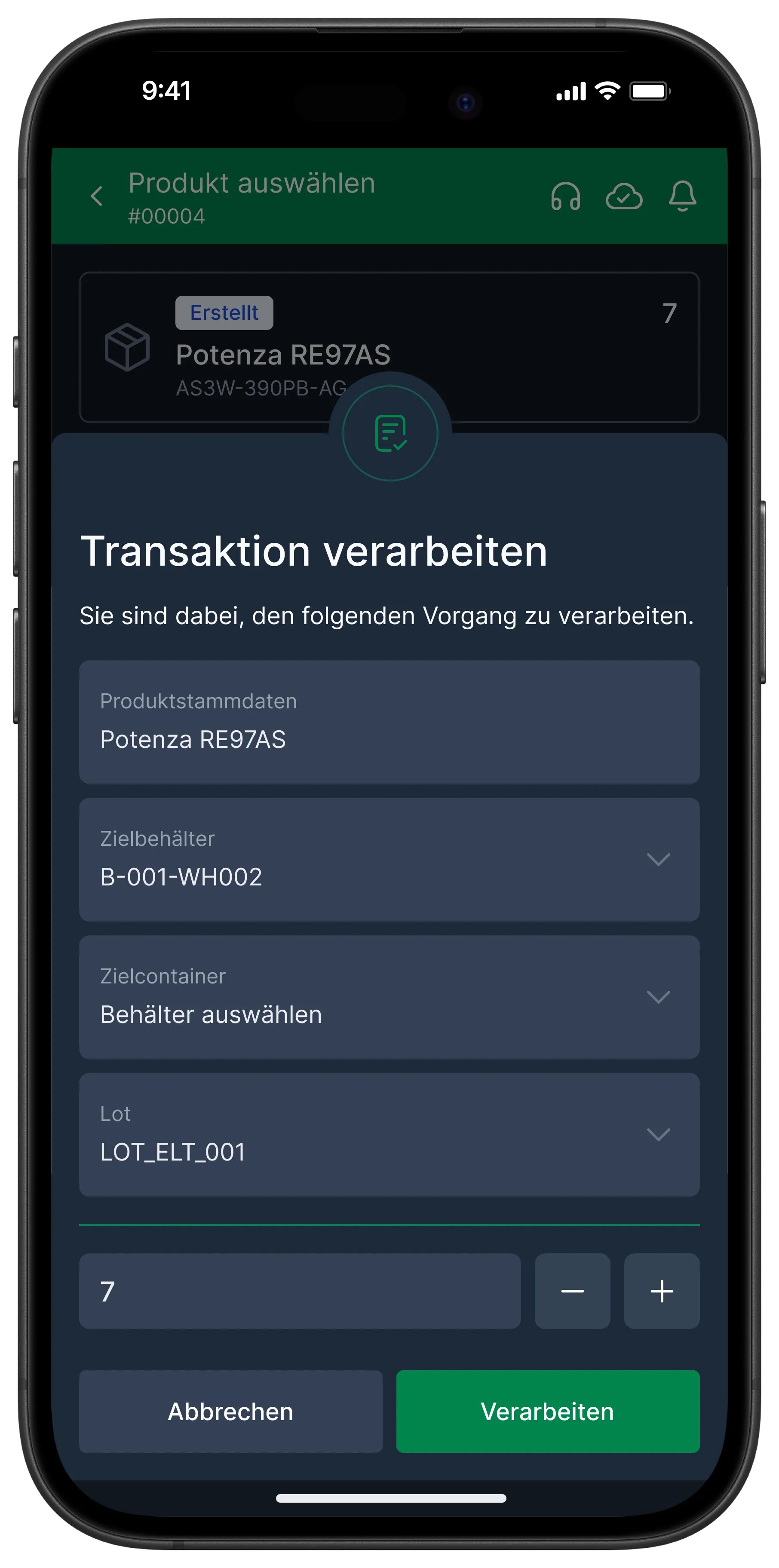
Smartphone screen showing a task management app in German with tabs for expired and today's tasks including inbound and outbound goods orders marked as created.Smartphone screen showing a transaction processing form for product Potenza RE97AS with fields for target container and lot, plus quantity input with buttons to decrease or increase, and options to cancel or process the transaction.

Customisable branding and colour schemes

Make Ventory truly yours, customise your logo and colour schemes to match your brand identity perfectly, with no design tools or developer tickets required. Your colours, your logo, every dashboard and export, all in just a few clicks.
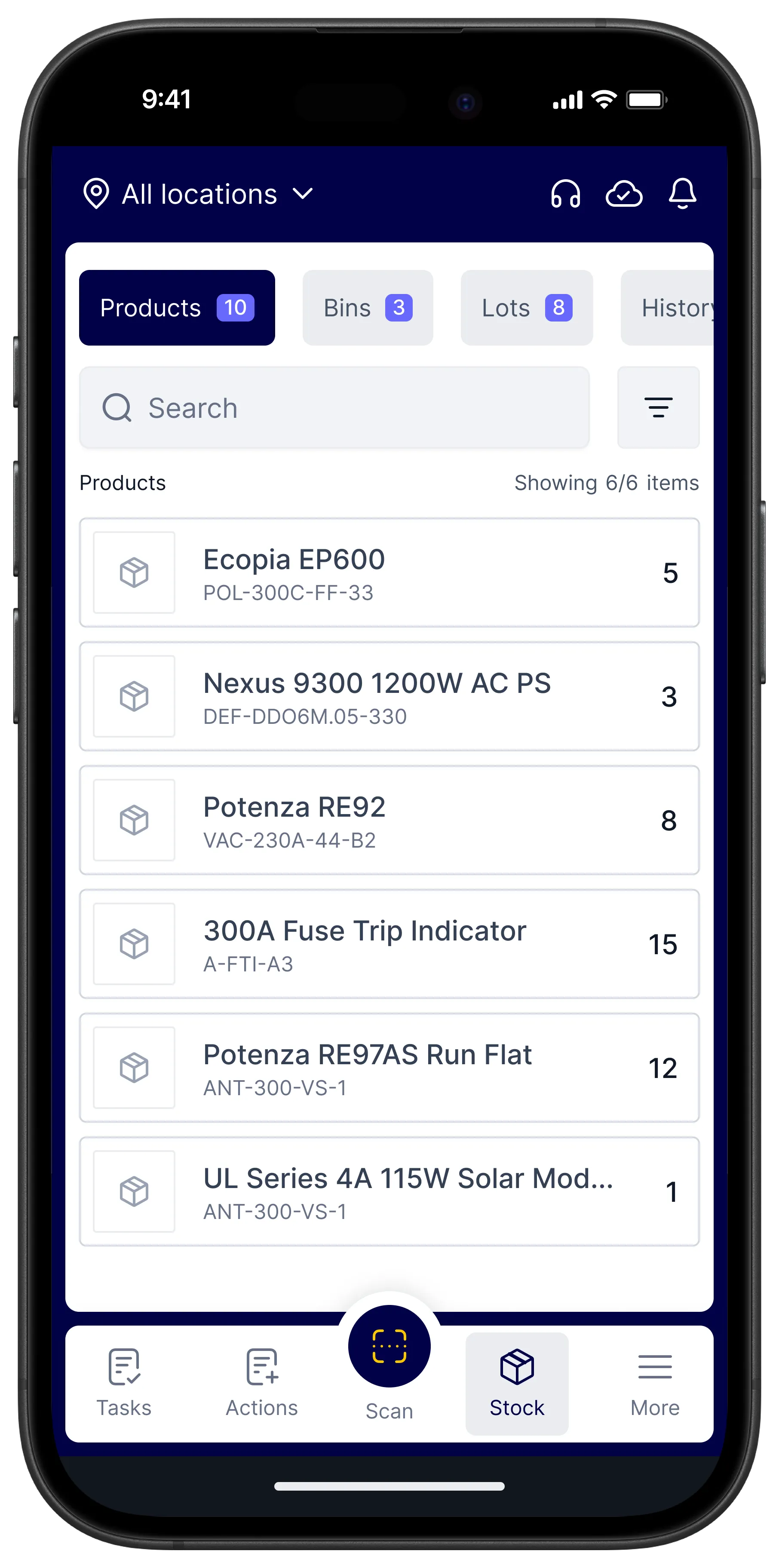
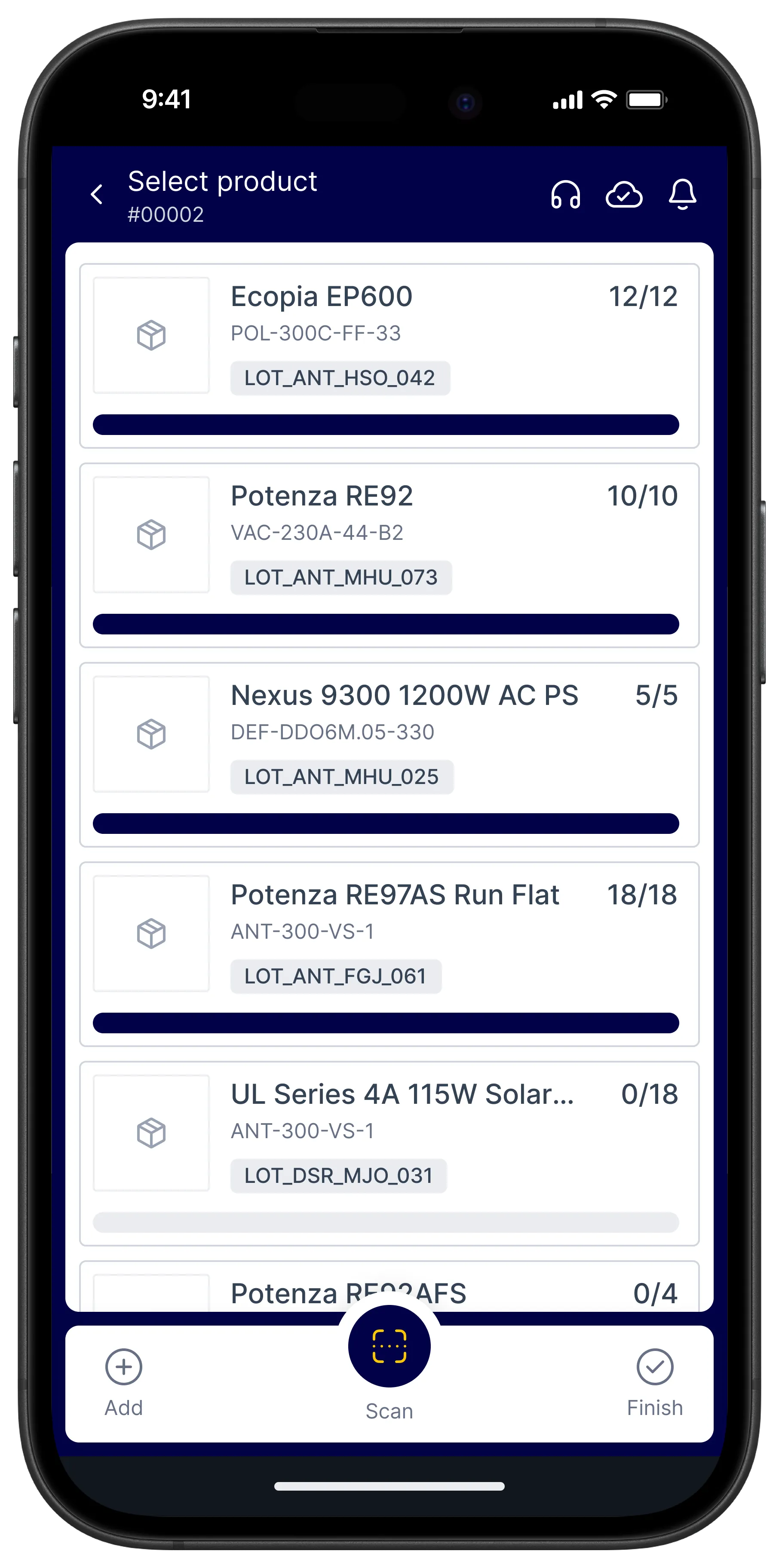
Mobile app screen displaying stock inventory with product names, codes, and quantities, showing six items and navigation icons.Mobile app screen showing a product selection list with items, quantities, lot codes, and progress bars.

API integrations

A simple connection between mobile execution and enterprise visibility.

Unlock the full potential of digitalization through our API integration capabilities

By integrating Ventory with 3PL or end-customer WMS/ERP systems, all inventory data can be kept up-to-date while also uncovering opportunities for better inventory planning and workflow optimization.

Integrate with:

Grid of six technology company logos including SAP, Microsoft Dynamics 365, Microsoft, Oracle, Blue Yonder, and Blue Prism.
How we bring your daily workflows to life
Learn how Ventory maps an end-to-end workflow, turning messy data into clear signals you can act on, step by step.
Request access
DHL logo in red letters with yellow background.
“Ventory leverages Artificial Reality and digitalization to enable smarter, faster, and more accurate cycle counting. All barcodes on an packaging label are captured and registered within seconds, which helps to boost cycle counting efficiency in our warehouse.”
Smiling middle-aged man with glasses wearing a gray collared shirt against a plain gray background.
Meng Huat
Supply Chain Specialist at DHL

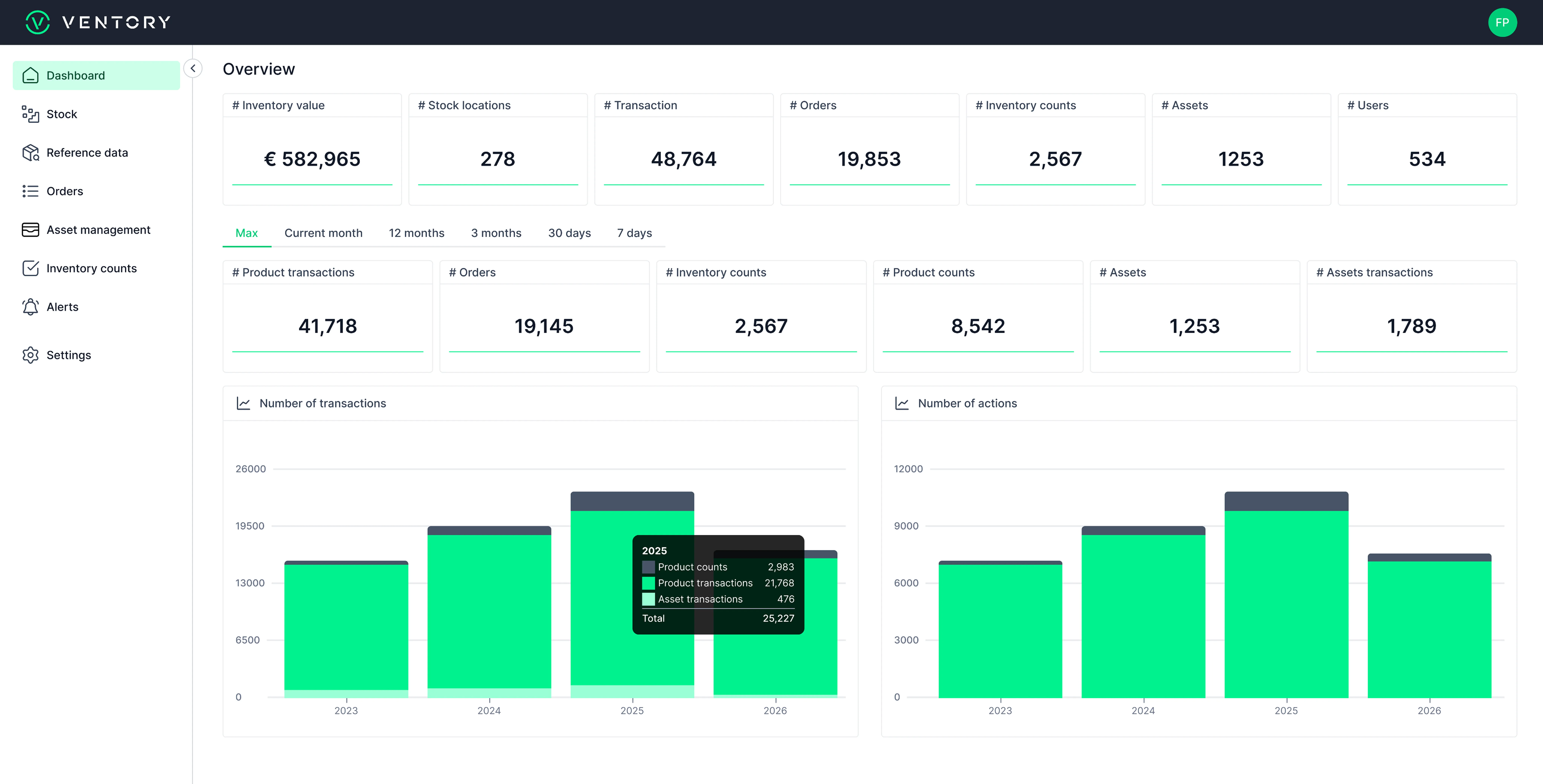
Ventory web platform

Give your field workers the tools they need for real-time inventory management, right from their mobile devices. Ensure accurate stock counts, faster task execution, and fewer delay, whether they're in the field, offline, or anywhere in between.
Learn more
Ventory dashboard showing inventory value €582,965, stock locations 278, transactions 48,764, orders 19,853, inventory counts 2,567, assets 1,253, and users 534 with bar charts for number of transactions and actions from 2023 to 2026.
Solutions

Everything you need to manage field inventory

Field Inventory Management
Gain complete visibility over spare parts and materials, whether on-site, in vans, or at remote depots.
Spare Part Management
Take full control of your critical parts, eliminate obsolete stock, reduce costs, and keep your teams operational across every location.
Inventory Counting
Run fast, guided counts by location, bin, or item. Scan barcodes to reduce errors and save time.
Digital Relabeling
Standardize and update inventory labels across all your locations from a single platform.
Order Management
Gain control over your orders, from placement to fulfillment, with tracking and real-time updates.
Smart Replenishment
Automatically reorder and restock parts based on demand. Reduce stockouts while keeping inventory levels optimized.
Consigned Stocks
Track vendor-owned inventory with clear visibility. Reorder on time and keep stock levels optimized across locations.
Tasks Assignment
Assign tasks with clear ownership and due dates. Track progress and keep the team aligned end-to-end.
Alerts & Notifications
Get real-time updates on stock changes, discrepancies, and critical event, so nothing slips through.
Working Offline
Keep counting and updating inventory without a connection. Syncs automatically when you’re back online.
Multi Barcode Scanning
Capture multiple barcodes simultaneously to accelerate stock updates, reduce manual input, and keep your field inventory data accurate at all times.
Product Expiry Management
Stay ahead of stock and asset expiration with smart expiry triggers and proactive alerts – built for teams managing sensitive and high-value inventory.
See what's really happening in your field inventory.
Join the global enterprise teams who trust Ventory to manage inventory beyond the warehouse.
Book a demo
Enterprise-validated
SOC 2 compliant
Live in 48 hours
Mobile-first